
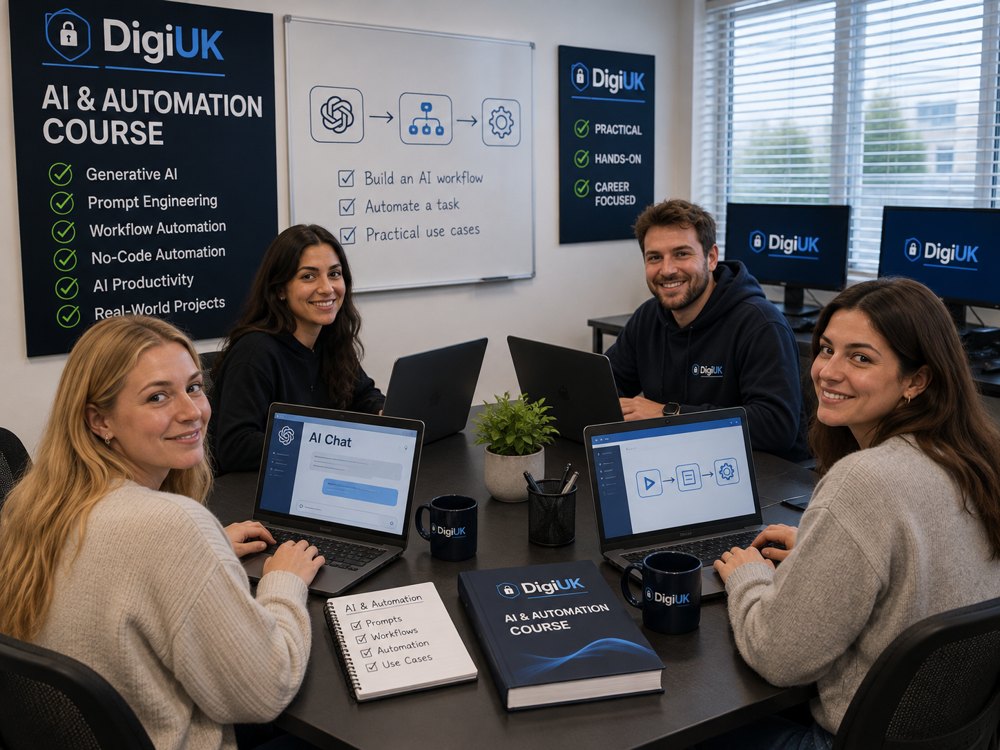
Build Practical AI Solutions from Foundations to a Working Smart Office
Explore AI training in Manchester with a practical, project-based programme designed to take you from everyday AI tools to building, testing and demonstrating a small-business AI assistant. The planned pathway contains 50 instructor-led sessions of 90 minutes: 75 guided learning hours across five progressive levels.
You develop one cumulative Smart Office AI project using three fictional business scenarios: a travel agency, an estate agency and a training academy. Each stage adds a useful capability, from checked email drafts to structured data, machine learning, retrieval, automation and secure operation.
AI Training for Beginners, Career Changers and Working Professionals
You do not need previous AI or programming experience. Explanations begin in clear language, then develop into worked examples, demonstrations and guided practice. If you need help with basic files, browser use or account sign-in, discuss this during your induction so we can plan appropriate support.
The course develops an entry-level applied capability: designing, building, testing, documenting and safely demonstrating a small-business AI solution. It does not promise employment, senior engineering competence or independent AI research expertise.
Meet the Tutor Before Enrolling
A free induction lets you discuss your goals, see the practical approach, review the syllabus and confirm which lessons are available. The induction is separate from the 50 planned teaching sessions.
Learn by Building
Each planned lesson begins with a realistic problem, includes a demonstration and guided exercise, and adds evidence to your project. Practical checks help you understand what works, what fails and why.
Your Smart Office AI Project
You follow one shared technical learning pathway with different fictional data and business rules. This keeps the focus on transferable skills rather than building three unrelated applications.
Travel Agency
Handle fictional trip enquiries, availability information and travel-policy questions. Draft helpful replies while checking facts and escalating missing information.
Estate Agency
Work with synthetic property enquiries, viewing requests and listing rules. Practise structured records and approval-based appointment proposals.
Training Academy
Use fictional course enquiries, timetables and enrolment rules to develop grounded answers and supervised administration workflows.
| Milestone | What you aim to demonstrate |
|---|---|
| S10 · Assistant v1 | Prompt-based email triage, draft replies and safe escalation. |
| S20 · Assistant v2 | Python rules, clean data, summaries and version-controlled project files. |
| S30 · Assistant v3 | Tested application with a web interface, model connection and SQLite history. |
| S40 · Assistant v4 | Searchable knowledge and approved email or calendar workflows with logs. |
| S50 · Assistant v5 | Evaluated, secured, documented capstone with a live demonstration. |
All 50 AI Training Sessions
Open each level to see every planned session, its practical activity and the evidence you build. This syllabus is based on DigiUK’s AI Academy master blueprint. Listed activities describe curriculum goals, rather than confirmation that every session pack is already released.
Level 1 — Foundations & Practical AI · Sessions 01–10
Build a prompt-based assistant that drafts replies, checks sources and escalates uncertainty.
S01 — AI in Everyday Life: The Smart Office Challenge
Practical work: Compare basic and structured prompts while drafting a reply to a fictional customer email.
Project evidence: Sample email, draft reply, prompt comparison and a five-FAQ starter knowledge file.
S02 — AI, ML, Deep Learning and Generative AI
Practical work: Classify everyday tasks and inspect a small rule-based email classifier.
Project evidence: Task-classification chart and rule-based email triage.
S03 — How LLMs Work: Tokens, Context and Prediction
Practical work: Compare prompts and observe context and token limits using safe test text.
Project evidence: LLM behaviour log and revised reply guidelines.
S04 — Choosing and Using AI Tools Responsibly
Practical work: Compare two available assistants with the same rubric and fictional inputs.
Project evidence: Model comparison matrix and tool-selection note.
S05 — Prompt Engineering: Roles, Goals and Constraints
Practical work: Build a reusable customer-service prompt with clear boundaries.
Project evidence: Versioned business prompt.
S06 — Structured Outputs and Prompt Testing
Practical work: Generate and validate JSON summaries from three sample emails.
Project evidence: JSON extraction template and three passing test cases.
S07 — AI for Research and Everyday Productivity
Practical work: Prepare a sourced business briefing and identify unsupported claims.
Project evidence: Source-check worksheet and briefing.
S08 — Documents, PDFs and Business Knowledge
Practical work: Extract facts from fictional policies and check against the originals.
Project evidence: Verified policy facts and source register.
S09 — Hallucinations, Bias, Privacy and Safety
Practical work: Test requests with missing information and practise safe abstention.
Project evidence: Safety checklist and escalation rules.
S10 — Milestone 1: Working Prompt-Based Assistant
Practical work: Demonstrate email triage and reply drafting across the fictional scenarios.
Project evidence: Assistant v1 demonstration, rubric and saved evidence.
Level 2 — Programming, Data & Computational Thinking · Sessions 11–20
Turn the assistant into a documented Python project with structured data and repeatable checks.
S11 — Algorithms, Logic and Problem Decomposition
Practical work: Draw a flowchart for a customer-enquiry workflow.
Project evidence: Flowchart and pseudocode.
S12 — Ubuntu Lab, Terminal and File Organisation
Practical work: Navigate lab folders, run commands and inspect the results.
Project evidence: Verified workspace and command log.
S13 — Python Essentials with AI-Assisted Coding
Practical work: Create a script that loads and displays customer messages.
Project evidence: Python starter application and test run.
S14 — Variables, Types, Conditions and Loops
Practical work: Classify fictional enquiries using transparent rules.
Project evidence: Rule-based triage script.
S15 — Functions, Modules and Debugging
Practical work: Refactor the classifier into functions and investigate deliberate failures.
Project evidence: Modular code and debugging journal.
S16 — Files, CSV, JSON and Data Quality
Practical work: Read and validate synthetic customer records.
Project evidence: Data loader and validation report.
S17 — Data Analysis and Visualisation
Practical work: Analyse enquiry volumes and build a chart that explains the results.
Project evidence: CSV summary, chart and narrative.
S18 — Practical Statistics for AI
Practical work: Calculate averages, variation and uncertainty from fictional business data.
Project evidence: Statistical worksheet and interpretation.
S19 — Git, Version Control and Documentation
Practical work: Commit and recover project changes and write a README.
Project evidence: Version-controlled project and documentation.
S20 — Milestone 2: Data-Aware Python Assistant
Practical work: Demonstrate rule-based triage with data summaries.
Project evidence: Assistant v2 and regression tests.
Level 3 — Machine Learning & AI Application Development · Sessions 21–30
Connect a tested AI application to a web interface, model APIs and persistent history.
S21 — Machine Learning Workflow and Problem Framing
Practical work: Define features, labels, training data and test data for email classification.
Project evidence: Machine-learning problem statement and dataset card.
S22 — Train a Real Classification Model
Practical work: Train a small scikit-learn classifier on synthetic email data.
Project evidence: Saved model and reproducible training script.
S23 — Evaluate Models and Avoid Data Leakage
Practical work: Interpret precision, recall, a confusion matrix and classification errors.
Project evidence: Evaluation report and error analysis.
S24 — Neural Networks and Deep Learning Explained
Practical work: Explore weights, activation and loss through a small simulation.
Project evidence: Annotated neural-network worksheet and loss plot.
S25 — LLMs, Embeddings and Model Selection
Practical work: Compare a classification model, an LLM and similarity-based retrieval.
Project evidence: Model-selection decision record.
S26 — HTTP, REST APIs and Authentication
Practical work: Use sandbox or mock API requests while handling credentials safely.
Project evidence: Verified requests and error cases.
S27 — Connecting Python to Hosted AI Models
Practical work: Call a configured model through a provider adapter and track usage costs.
Project evidence: Provider-independent AI service wrapper.
S28 — Build a Web Interface for the Assistant
Practical work: Create a local interface for reviewing enquiries.
Project evidence: Working local interface and test evidence.
S29 — Databases and Conversation History
Practical work: Store synthetic enquiries and approved drafts in SQLite.
Project evidence: Database schema and history view.
S30 — Milestone 3: Tested AI Application
Practical work: Demonstrate the interface, ML comparison, API connection and persistent history.
Project evidence: Assistant v3, tests and architecture diagram.
Level 4 — Business Automation, RAG & Agents · Sessions 31–40
Add searchable business knowledge and controlled workflows with human approval.
S31 — Business Processes and Automation Boundaries
Practical work: Map manual and automated steps with approval checkpoints.
Project evidence: Workflow map and risk classification.
S32 — Workflow Triggers and n8n Foundations
Practical work: Run a sample workflow with synthetic messages.
Project evidence: Importable workflow and execution trace.
S33 — Email Classification and Draft Generation
Practical work: Connect a test mailbox or offline fixture and create drafts only.
Project evidence: Draft-only email workflow with logs.
S34 — Calendar and Appointment Workflows
Practical work: Prepare tentative events in a test calendar or mock service.
Project evidence: Appointment-proposal flow with human approval.
S35 — Document Extraction and Knowledge Ingestion
Practical work: Convert fictional documents into checked structured records.
Project evidence: Ingestion pipeline and provenance report.
S36 — RAG Foundations and Searchable Knowledge
Practical work: Index synthetic policies and cite the retrieved sources.
Project evidence: Retrieval-augmented generation prototype with citations.
S37 — Advanced RAG and Retrieval Evaluation
Practical work: Test document chunking, retrieval failures and unsupported answers.
Project evidence: Retrieval evaluation and revised index.
S38 — Tool Calling, MCP and Agent Boundaries
Practical work: Explore tool schemas and Model Context Protocol using a sandbox connector.
Project evidence: Tool schema, permission matrix and mock demonstration.
S39 — Agents, Memory and Human Approval
Practical work: Build a constrained multi-step agent with controlled memory.
Project evidence: Agent workflow, approval gate and memory policy.
S40 — Milestone 4: Automated Smart Office
Practical work: Demonstrate an integrated workflow with human approval.
Project evidence: Assistant v4 and workflow evidence.
Level 5 — Reliable, Secure & Future-Ready AI Systems · Sessions 41–50
Evaluate, secure, document and demonstrate the complete Smart Office AI solution.
S41 — Context Engineering and Reliable System Design
Practical work: Design context budgets, state boundaries and fallback behaviour.
Project evidence: Context policy and architecture revision.
S42 — AI Security, Prompt Injection and Data Protection
Practical work: Test a synthetic prompt-injection fixture and apply mitigations.
Project evidence: Threat model, security test evidence and checklist.
S43 — Evaluation, Observability and Cost Controls
Practical work: Build repeatable tests and measure failures and costs.
Project evidence: Evaluation dashboard and budget controls.
S44 — Multi-Agent Design and Orchestration
Practical work: Compare single-agent and multi-agent approaches through simulations.
Project evidence: Orchestration prototype and trade-off report.
S45 — AI-Assisted Decision Making and Governance
Practical work: Prepare a scenario-based recommendation for human sign-off.
Project evidence: Decision log, risk register and approval record.
S46 — Local Models, Deployment and Infrastructure
Practical work: Compare hosted and local options and deploy a lightweight local service.
Project evidence: Deployment decision and runnable local service.
S47 — Physical AI, Robotics and Emerging Interfaces
Practical work: Simulate a sense–plan–act workflow with synthetic sensor events.
Project evidence: Safe simulated physical-AI workflow; no physical robot is promised.
S48 — Production Operations and Responsible Scaling
Practical work: Add logging, backups, rollback, monitoring and incident procedures.
Project evidence: Operations runbook and recovery test.
S49 — Portfolio, Documentation and Career Readiness
Practical work: Write a project case study, architecture summary and demonstration script.
Project evidence: Portfolio pack and evidence index.
S50 — Final Capstone: Demonstration and Practical Achievement
Practical work: Demonstrate and explain the complete system against scenario acceptance tests.
Project evidence: Assistant v5, final portfolio and practical assessment evidence.
The AI Learning Environment
The planned lab uses Ubuntu or Xubuntu in a VirtualBox-compatible environment, with a personal workspace for your files and project outputs. Exact installation requirements and supported versions are confirmed during onboarding. Online learners follow the same exercise structure as classroom learners.
Tools introduced through the pathway include Python, CSV and JSON, Git, scikit-learn, SQLite, model APIs and n8n. Tools support the learning objectives and may change as services develop. The focus remains on concepts, testing and sound decisions.
- Fictional customer records and clearly labelled synthetic practice data
- Step-by-step exercises with expected results and checks
- Personal AI-tool accounts; credentials kept separate from shared lab files
- Mock or sandbox integrations before any live service use
- Human review and approval before outbound messages or calendar changes
- Privacy, access controls, prompt-injection tests and audit evidence
What You Aim to Be Able to Do
- Explain AI, machine learning, deep learning and generative AI in practical terms
- Write structured prompts and check AI outputs against reliable sources
- Build and debug small Python applications using structured business data
- Train and evaluate a small classification model and recognise its limitations
- Connect an application to APIs, a local interface and a database
- Build retrieval-based answers that cite the underlying business knowledge
- Create constrained workflows and agents with permission boundaries and human approval
- Test privacy, prompt-injection, reliability and failure-recovery controls
- Explain model choices, operating costs and technical trade-offs
- Document and demonstrate a portfolio project with clear limitations
Practical Assessment and DigiUK Recognition
The blueprint uses formative practical checks and a final capstone demonstration rather than written examinations or quizzes. Assessment considers functionality, supported answers, safety and security, reliability, architecture and communication.
The intended award is a DigiUK Certificate of Practical Achievement for learners meeting the course’s practical requirements. Final certificate wording and assessment thresholds are confirmed by DigiUK before enrolment. This is independent DigiUK training, not a regulated qualification or vendor-issued certification.
Who This Programme Supports
Computer beginners with suitable support, career changers, students, IT professionals and small-business staff who want a structured route into applied AI. The project can support a portfolio for further learning or developing AI and automation roles; employment and earnings are not guaranteed.
Fees, Course Materials and Access
Live Tutor-Led Training
£30 per session. The full planned 50-session pathway totals £1,500 before any agreed discounts. Confirm the current schedule and payment arrangements with DigiUK.
Attend online or in person, with a maximum of five learners per class. PDFs and optional practice ZIP files for sessions released by your tutor are included in your course fees. You do not need to buy the same self-study course separately.
Online Self-Study
Current self-study pricing and the published material totals are shown below. Online purchasing is disabled while the course materials and payment arrangements are being prepared. Confirm the released content and what is included before purchasing.
When available, self-study access covers the included published sessions and their learning resources. It is a separate study route from live instructor-led tuition.
AI Training – Practical AI & Automation — study options
Practical AI tools for everyday digital tasks, critical checking of outputs, responsible information handling and suitable approaches to automation. 12 months of independent online study for one learner; live tuition is booked separately.
Published online materials: 0 published chapters · 0 study PDFs · 0 PDF pages · 0 practice ZIP archives.
Online enrolment is being prepared. Contact DigiUK to confirm availability before making a payment.
Self-study access begins after confirmed payment and covers the included published sessions and materials. Live tuition and external examinations are booked separately.
Prefer tutor-led learning?
Join live online or in person at our Stretford academy, with a maximum of five learners per class. Materials and optional practice ZIP files for each session released by your tutor are included in your course fees. A separate self-study purchase is not required.
Both study routes normally include 12 Months Online Access. DigiUK can extend or disable individual course access where required. Your student portal shows the expiry date.
Both routes normally include six months of course access from activation. DigiUK can extend access where agreed. Tutor-led resources are released session by session; self-study buyers receive access to the published materials included in their purchase.
Study PDFs and optional chapter practice ZIP files are added as lessons become available. A complete page total cannot yet be confirmed and will depend on the released materials. Instructor-only notes and solutions are not part of the public course library unless explicitly included.
Frequently Asked Questions
Do I need to know Python or Linux already?
No prior AI or programming experience is required. The pathway introduces programming and the Ubuntu lab progressively. Discuss any basic computer support needs during your induction.
Are all 50 lessons ready now?
No. The blueprint defines the complete intended pathway, while lesson materials are being developed and released in stages. DigiUK will confirm the currently available lessons and delivery arrangements before enrolment.
Will AI automatically send emails or make appointments?
Early work uses fictional emails and draft outputs. Later integrations use mock or test services with human approval. Drafting a response is different from sending it, and the course teaches that boundary explicitly.
Can I join remotely?
Live online and in-person delivery follow the same planned learning pathway. Ask DigiUK about the current timetable, supported setup and availability.
Does the course guarantee a job or an external certification?
No. The programme develops entry-level practical skills and project evidence. DigiUK’s own practical achievement award is separate from vendor certifications and regulated qualifications.
Do tutor-led students pay again for materials?
No. Access to the study materials and optional practice files for sessions released by your tutor is included in your agreed course fees. Normal course access lasts six months, with extensions available where agreed.
Discuss Your AI Learning Goals with DigiUK
Review the planned syllabus, see the practical approach and confirm the next available starting point during a free induction.